

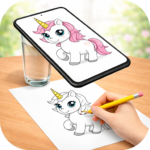
Learn To Draw : Trace & Sketch functions as a drawing assistant, enabling users to trace any image directly onto physical paper. It leverages your phone’s camera and screen to display a semi-transparent overlay of a chosen image on a live view of your paper. This allows you to look at your phone’s screen and follow the outlines and details while drawing by hand on the paper placed beneath your device. This method transforms your phone into a digital lightbox or projector, facilitating the creation of sketches from photos or built-in references without needing specialized equipment.
Preparing Images for Tracing
The app allows users to select images from their device gallery or choose from a set of built-in sample images. Once an image is chosen, it can be processed using various drawing filters. These filters can convert the image into a sketch or line art style through edge detection, or adjust its transparency. Users can control the opacity of the overlay, making it easier to see and trace the underlying lines.
On-Paper Tracing Process
To begin tracing, the user positions their phone approximately 1 foot (30 cm) above a sheet of paper or a sketchbook. The phone’s camera remains active, providing a live view of the paper, while the selected and filtered image is overlaid semi-transparently on the screen. The user then looks at the phone screen and draws directly on the paper below, following the outlines, proportions, and details displayed. This real-time transparent view aims to make the tracing process seamless.
Adjusting Image Layout
For optimal tracing, the app provides tools to adjust the image’s placement and size. Users can move, zoom, or rotate the overlaid image to ensure it fits perfectly within the desired area on their paper. This flexibility helps in aligning the reference image with the physical drawing surface.
Practice and Collection Features
Beyond basic tracing, the app includes features designed to support learning and organization. Users can access step-by-step drawing lessons, categorized by difficulty from easy to hard, to practice various techniques. The app also enables users to save their favorite drawings for quick access and to create their own collections of sketches. This functionality supports practicing proportions, anatomy, or detailed artwork.







Write a review